
What Is a Google Business Profile Description?
A Google Business Profile description is the short “from the business” text that helps customers understand what a business does. It can summarize your services, products, mission, history, location, service area, specialties, and other useful information.
The description is not a complete website page and it should not try to include every keyword or every service. Its job is to give a new customer a quick, accurate overview of the business.
Simple rule: write for a customer who has never heard of your business and wants to know what you do, where you work, and whether you may be a good fit.
Google Business Description Rules
Google’s current guidance says the description field should focus on useful information about the business. Google allows details about what you offer, what makes the business special, how long it has operated, and other information that helps customers understand it.
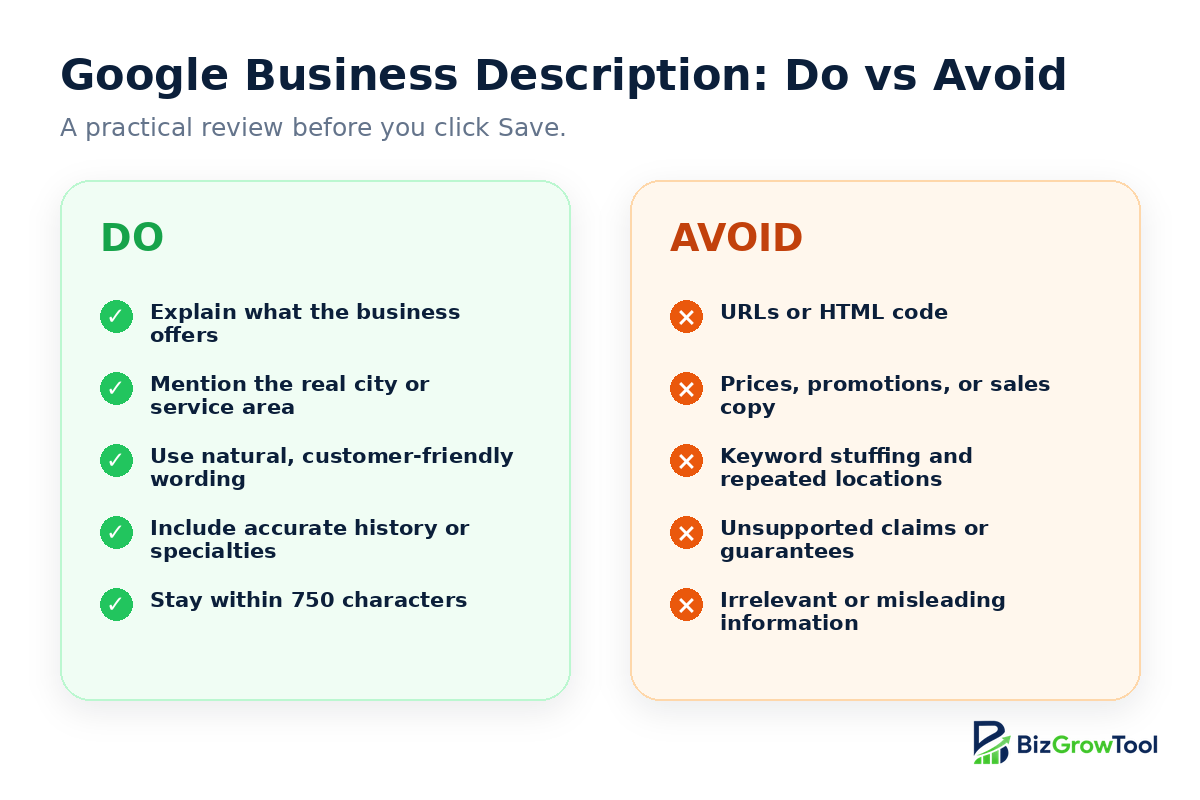
Google also says to avoid the following:
- More than 750 characters: the field has a maximum length.
- URLs or HTML: do not place website links or markup in the description.
- Promotions, prices, or sales-focused copy: use the description for the business overview rather than temporary offers.
- Irrelevant or misleading information: every statement should have a clear connection to the real business.
- Prohibited or restricted content: all Business Profile content must follow Google’s policies.
Source: Google Business Profile Help, Edit your Business Profile and Guidelines for representing your business on Google.
What Should a Google Business Description Include?
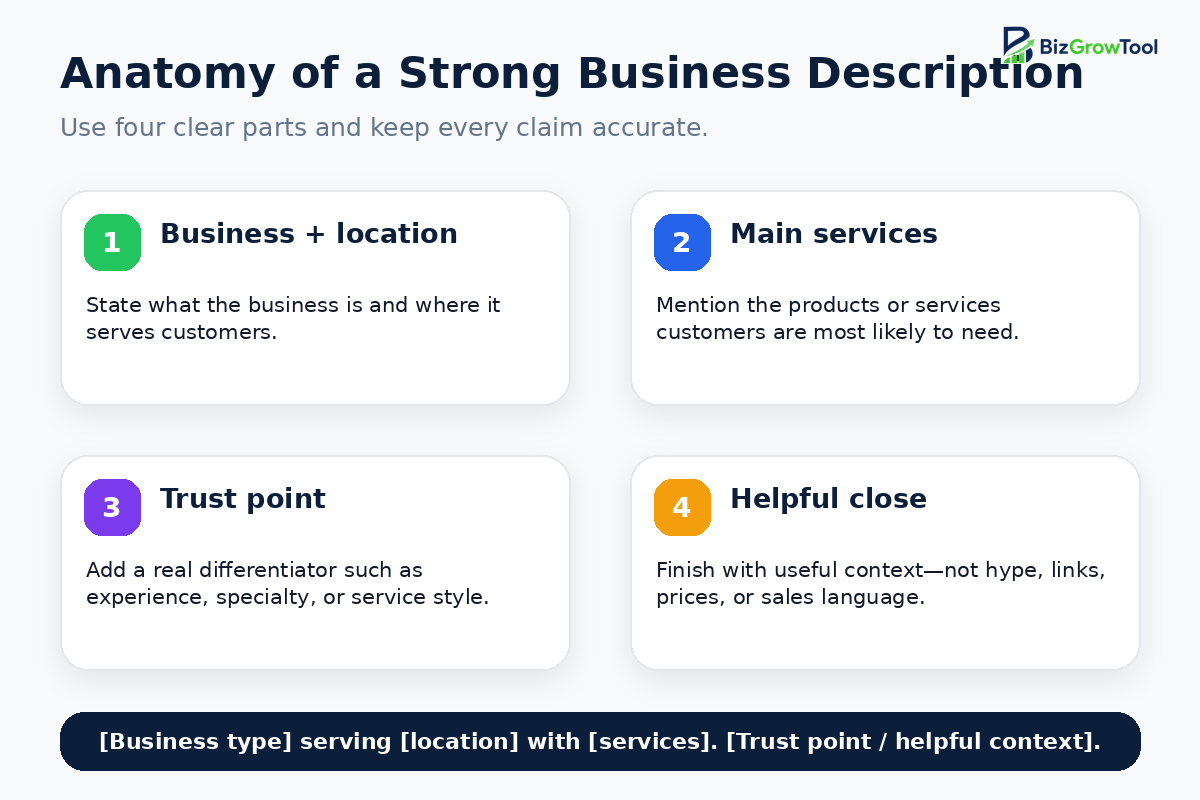
A strong description usually includes four or five useful details.
1. Your business type
Start by saying what the business actually is. Examples include a family restaurant, hair salon, plumbing company, dental clinic, marketing agency, ecommerce shop, property consultancy, or appliance repair service.
2. Your main services or products
Mention the products or services customers are most likely to search for or ask about. Choose the most important items instead of listing every possible service.
3. Your city or service area
Add the real city, neighborhood, region, or service area when location matters. Service-area businesses can explain the areas they cover without stuffing the description with a long list of place names.
4. Your ideal customer or use case
A short audience reference can make the description more relevant. You may serve homeowners, families, local businesses, brides, property owners, tourists, professionals, or online shoppers.
5. One accurate trust point
Add a genuine reason customers may choose the business, such as years of experience, a clear specialty, family ownership, custom work, same-day response, transparent communication, handmade products, or customer-focused support.
How to Write a Google Business Profile Description Step by Step
Step 1: Write a plain one-sentence summary
Begin with a simple sentence that combines the business type, main location, and core offer. Do not try to sound impressive yet. Focus on being understood.
Step 2: Add the most useful service details
Add two to five services or product categories that represent the business accurately. Keep them in natural sentences instead of repeating the same phrase.
Step 3: Explain who you help
Mention the customer group only when it improves clarity. A general shop may not need this, while a specialist consultant or service provider often benefits from it.
Step 4: Add a truthful differentiator
Use one or two facts that make the business easier to evaluate. Avoid claims such as “the best,” “number one,” or “guaranteed” unless they are accurate, supportable, and suitable under applicable policies.
Step 5: Remove sales clutter
Delete discount language, temporary promotions, prices, URLs, phone numbers, repeated calls to action, and exaggerated claims. Those details belong in other Business Profile fields, posts, products, services, or your website.
Step 6: Check the character count
Keep the final description under 750 characters. You do not need to fill the entire field. A focused description of roughly 300–600 characters is often easier to scan and edit, although the right length depends on the business.
Need a clear first draft?
Use the free BizGrowTool Google Business Description Generator to create description ideas based on your business type, location, services, audience, tone, and trust points.
A Simple Google Business Description Formula
Use this formula when you do not want to start from a blank page:
Short formula
Service-area business formula
Shop or restaurant formula
Google Business Description Examples
These examples are intentionally clear and editable. Replace the business names, locations, services, and trust points with accurate information from your own business.
Restaurant
Hair salon
Plumbing company
Marketing agency
Dental clinic
Ecommerce brand
Real estate business
Appliance repair service
Example Structure Comparison
| Part | Weak wording | Stronger wording |
|---|---|---|
| Business type | We are a great company. | We are a residential plumbing company serving Dallas homeowners. |
| Services | We do everything you need. | We repair leaks, blocked drains, fixtures, and water heaters. |
| Trust point | We are the best. | We focus on clear communication, reliable workmanship, and practical advice. |
| Location | Serving everywhere. | Serving Dallas and nearby communities. |
Common Google Business Description Mistakes
- Keyword stuffing: repeating the same service and city phrases makes the description harder to read and less trustworthy.
- Writing only a slogan: a slogan may sound good but often fails to explain the actual business.
- Listing every service: choose the most important services and use other profile fields for the full list.
- Adding links or HTML: Google’s guidance says not to include them in the description field.
- Using discounts and prices: temporary offers and sales information should not dominate the business overview.
- Making unsupported claims: do not invent awards, guarantees, years of experience, locations, qualifications, or service promises.
- Copying competitors: your description should reflect your real business, not another company’s wording.
- Assuming the description guarantees ranking: the field improves clarity, but local visibility depends on many signals and the overall quality and accuracy of the profile.
How to Add or Edit Your Google Business Description
Google’s current help instructions are:
- Go to your Business Profile while signed in to the Google account that manages it.
- Select Edit profile.
- Find Description and choose the edit option.
- Enter or revise the business description.
- Select Save.
Google says profile changes usually appear in about 10 minutes, although some edits can take up to 30 days. Review the live profile later to confirm that the text displays correctly.
Source: Manage your Business Profile description.
Final Google Business Description Checklist
Before saving the description, check each point:
- Does the first sentence clearly say what the business is?
- Are the main products or services accurate?
- Is the location or service area correct?
- Does every claim match the real customer experience?
- Is the wording natural rather than keyword-stuffed?
- Is the description under 750 characters?
- Have you removed URLs, HTML, prices, promotions, and temporary offers?
- Would a new customer understand the business after reading it once?